
How to Set Up a Home Office
Are you ready to learn how to set up a home office? Whether you’re a freelancer, a business owner, or a remote employee, having an efficient and effective home office space is essential. Creating the perfect home office environment can be a challenge, but it doesn’t have to be.
With the right planning and resources, you can create a workspace that will help you maximize productivity and efficiency. This ultimate guide will walk you through the steps of setting up your home office, from choosing the right furniture/equipment and office move service to organising your workspace for maximum effectiveness.
With these tips, you’ll be able to create an office space that will help you get the most out of your workday. So let’s get started and make your home office the envy of your neighbourhood!
Choosing the right home office space
Before you even think about buying furniture or office equipment, you’ll need to decide where in your home you’re going to set up your home office. There are a few factors you want to keep in mind when selecting the right office space. For example, how much space do you have to set up your home office?
Are there enough desks and chairs for employees? Do you have enough storage space for files and supplies? These are all factors you’ll want to consider when choosing the location for your home office.
How much work will your home office be handling? Are you just needing a place to complete occasional projects, or are you running a full-time business from your home office? Your workload will help you determine how much space you’ll need to set up your home office.
What type of physical environment is your home office in? Are there a lot of noise and distractions? Are you in a well-lit room, or would you benefit from more light?
Will you need to control temperature to avoid excessive sweating or shivering? All of these factors will help you select the perfect office space in your home.
Determining the size and layout of your office
Once you’ve decided where you’re going to set up your home office, it’s time to determine the exact size and layout of your office space. The size of your home office will depend on a few factors. These include the number of employees you’ll have working in the space, the type of work you do, and the amount of space you have available to set up your home office.
If you’re working alone, you might be able to get by with a small home office, perhaps even a corner of your bedroom or living room. However, if you have employees or contractors working from home, you’ll probably need a larger space to accommodate everyone. You’ll also want to make sure you have enough desk space and storage for all of your equipment and supplies.
When learning how to set up a home office, the layout will depend on a few factors. For example, whether you’re left-handed or right-handed, and whether you work better with auditory or visual stimuli.
Selecting the right furniture and equipment
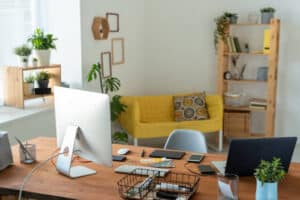
Before you head out to purchase furniture and office equipment for your home office, you’ll want to do a little research to find the right products for your space. Visit a showroom or two to try out different furniture and equipment to see what works best for you. Here are a few factors you’ll want to keep in mind when selecting the right furniture and equipment for your home office.
You’ll want to make sure that the furniture you purchase for your home office is comfortable and ergonomic. Especially if you’ll be sitting for long hours at a time. For example, you may want to avoid a wooden desk chair as it may not be as comfortable as a mesh or leather chair.
You’ll also want to keep in mind the amount of space your furniture will take up. You don’t want to overcrowd your home office with too much furniture. Create enough space for employees to move around and do their work.
The materials of your furniture will depend on the type of work you do in your home office. For example, you may want to invest in furniture made with fire-retardant materials if you do a lot of computer work.
Organising your workspace for maximum efficiency
Now that you’ve purchased the right furniture and equipment for your home office, it’s time to organise your workspace for maximum efficiency. Organising your home office can feel overwhelming at first. But once you get into the groove of it, it can be really fun and empowering.
You can choose from a variety of organisational methods that will work best for you and your home office. You can also mix and match these organisational methods to find the perfect system for you. Here are a few tips for organising your home office for maximum efficiency.
- Create a visual map of your work process, organise your work by process, not by room. This will help you see how each piece of work flows from one stage to the next. Having a visual map of your work process can help you see what you’ve accomplished, and how far you have left to go.
- Using color-coded labels will help you organise your work by project. This way, you’ll be able to easily see all of your projects at a glance.
- Having an ergonomic workstation can reduce the risk of injury and make your workday more comfortable. An ergonomic workstation will help you avoid straining your eyes and cramping your hands. It can even improve your posture and reduce back pain.
- Schedule time each day to declutter and tidy up your home office. Having a tidy and decluttered home office will help you focus and stay productive. Set a time each day to tidy up and declutter your home office.
- Spend 10 minutes each week planning for the following week. Planning for the following week can help you stay on track and make the most of your time, especially if you’re a freelance employee or remote employee.
Setting up a comfortable and ergonomic workspace
Comfort is essential in the workplace, and it’s especially important when effectively learning how to set up a home office space. The more comfortable you are while working from home, the less likely you are to experience distractions and interruptions. You’ll also be able to focus better and be more productive.
Here are a few tips for setting up a comfortable and ergonomic workspace in your home office.
- Set up a comfortable workstation – make sure that you have everything you need at your workstation within arm’s reach. Having everything you need close by will help you avoid distractions and interruptions, and it will help you stay focused on your work.
- Make sure that you have comfortable furniture in your home office. This can range from chairs to couches.
- Ensure you take frequent breaks to help you stay focused and avoid eye strain and other injuries.
- Being hydrated can help you stay focused on your work, and it can also help prevent headaches.
- Take advantage of natural light – natural light can help you stay focused and keep you from becoming drowsy.
Creating an organised filing system
One of the most important aspects of any home office is having an organised filing system. You’ll want to create a filing system that will allow you to easily find the files and documents you need. There are a few different filing systems you can use, such as the folder system or the bin system.
You can also mix and match systems, depending on your needs. Here are a few tips for creating an organised filing system in your home office.
- Select an appropriate filing cabinet – choose an filing cabinet based on the size of your home office and the amount of files you’ll have to store.
- You’ll want to make sure that your files are labelled appropriately. This will help you find what you’re looking for quickly and easily.
- Clean out your filing cabinet once a year to make sure that you’re not keeping old files that aren’t relevant anymore.
- Scan important documents – don’t just keep physical copies.
Stocking up on office supplies for a home office
Finally, you need to stock up on office supplies. Whether you prefer shopping online or at a local store, office supplies can be tricky to shop for. Here are a few factors to consider when stocking up on office supplies.
First and foremost, you need to make sure that you have a variety of office supplies at your disposal. What are the most essential office supplies? What secondary office supplies will make your work more efficient?
You also need to consider the quality of your office supplies. What are the best office supplies to last as long as possible? Finally, you also need to consider the cost of your office supplies – how can you get the best value for your money?
How to set up a digital workspace
Once you’ve stocked up on office supplies and set up an organised filing system, you can start setting up a digital workspace. Here are a few factors to keep in mind when setting up a digital workspace. First and foremost, you need to make sure that your digital workspace is conducive to digital communication.
Which communication apps do you prefer? Do you have a central location where co-workers and digital communication tools can be accessed? You also need to make sure that your digital workspace is conducive to digital storage.
What digital storage tools do you prefer? Do you have a central location where these digital tools can be accessed? – Make sure that your digital workspace is conducive to digital collaboration.
Which collaboration tools do you prefer? Do you have a central location where these collaboration tools can be accessed?
Maintaining a productive home office space
Finally, once you’ve learnt how to set up a home office and completed all tasks, you need to maintain a productive space. Here are a few factors to keep in mind when maintaining a productive home office space. First and foremost, you need to stay consistent with your home office setup.
When you’re building workflows and habits, consistency is key. You should try to maintain the same schedule, the same workflow, and the same approach for as long as possible. You also need to stay motivated to keep your home office fresh and productive.
What are some ways that you can keep your motivation levels high? Finally, you also need to stay productive in your home office. What are some ways that you can maintain productivity in your home office?